
StudySim
AI study workspace that turns your course materials into guides, flashcards, quizzes, and podcasts
StudySim converts course materials like PDFs, lecture notes, slides, audio, video, and YouTube links into AI-generated study guides, flashcards, quizzes, and
The pitch
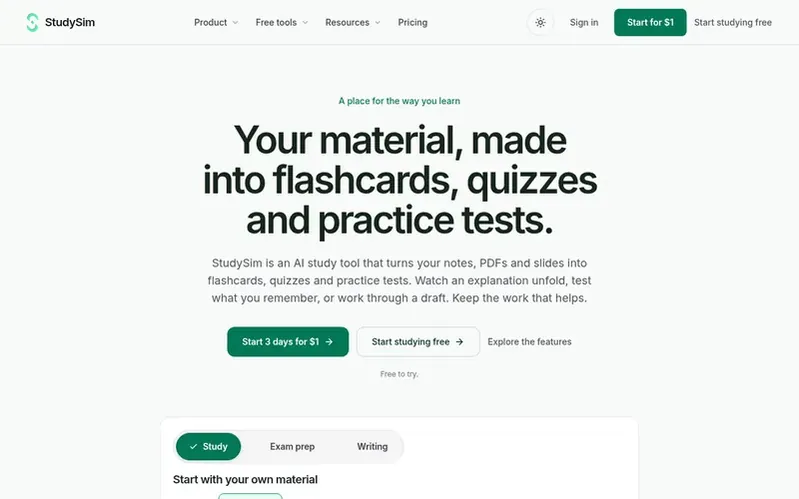
StudySim is an AI study workspace designed for students to centralize and transform their course materials. Users create a named study space for a class, unit, or exam, upload PDFs, documents, slides, audio, video, or YouTube links, and then generate study guides, flashcards (called Notecards), practice quizzes, or two-speaker podcasts from the same sources. The platform keeps all materials and generated tools organized together, allowing students to switch between study formats without re-uploading content. A free account provides a short personalized preview with one key idea, three notes, and one practice question, while full generation requires StudySim Pro.
Under the hood
- AI study guide generation from uploaded sources
- AI flashcard generation from uploaded sources (Notecards)
- AI practice quiz generation from uploaded sources
- Two-speaker podcast generation from uploaded sources
- Study spaces organized by class, unit, or exam
- Support for PDF, DOCX, TXT, Markdown, and PPTX files
- Support for MP3, WAV, OGG, MP4, and WebM audio and video
- YouTube link support for study material
- Customizable quiz settings including length, question types, difficulty, and timing
- Customizable podcast host voices, length, and instructions
Pricing
Pricing model: Freemium
Free study preview available. StudySim Pro: $1 for first 3 days, then $20/month or $120/year (equivalent to $10/month).
Quick answers
What is StudySim?
StudySim is an AI study workspace for students where you create a space for a class, unit, or exam, add your course sources, and generate study guides, flashcards called Notecards, quizzes, and two-speaker podcasts.
What file types and materials does StudySim accept?
StudySim currently accepts PDF, DOCX, TXT, Markdown, and PPTX files; MP3, WAV, and OGG audio; MP4 and WebM video; and public YouTube links. Each uploaded file must be 50 MB or smaller, with up to 15 sources in a study space.
Is StudySim free to try?
A free account lets you try a short personalized study preview with one key idea, three quick notes, and one practice question. Full study guide, flashcard, quiz, and podcast generation requires StudySim Pro.
How is StudySim organized?
Each named study space keeps its source materials and generated study tools together, so you can separate one class, unit, or exam from another.
What can I upload to StudySim?
StudySim currently accepts PDF, DOCX, TXT, Markdown, and PPTX files; MP3, WAV, and OGG audio; MP4 and WebM video; and public YouTube links.
StudySim has a free listing. The owner can unlock the full profile with a paid launch for $5:
- Founder story (locked)
- Milestones (locked)
- Demo video (locked)
- Dofollow website link (locked)