
Bear
Markdown notes you'll love
A beautiful, powerfully simple Markdown note-taking app to capture, write, and organize your life with seamless sync across Mac, iPhone, and iPad.
The pitch
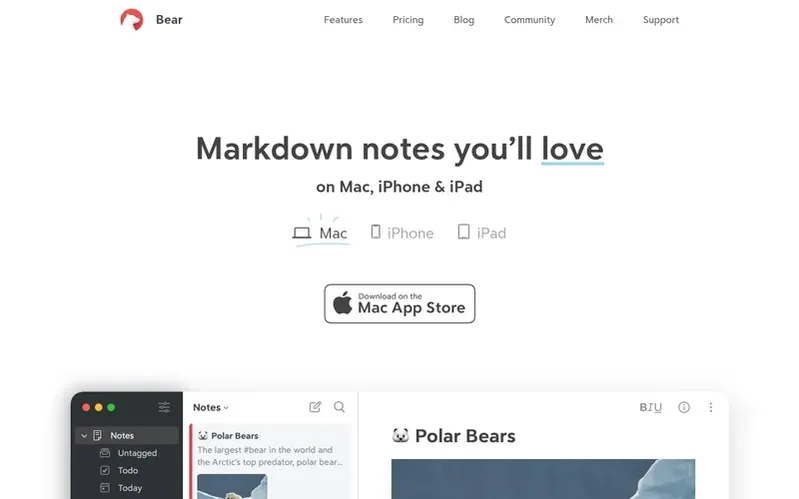
Bear is a Markdown note-taking application designed for capture, writing, and organization. It offers seamless functionality across Mac, iPhone, and iPad with native apps that work online and offline.
The app provides powerful tools for various use cases including note-taking, planning, writing, and building wikis. Features include text, photos, tables, and todo lists within the same note, along with flexible tag-based organization. Bear uses simple Markdown formatting that adapts to different situations.
Privacy and security are central to Bear's design. Notes remain between users and iCloud, with encryption available for additional protection. The app supports Apple's Advanced Data Protection.
Bear has won multiple design awards, including the Apple Design Award and App of the Year recognition. It offers both free and paid tiers, with Bear Pro providing additional features like iCloud sync, extended export formats, OCR search, and access to over 28 themes.
Under the hood
- Markdown formatting
- Flexible tag organization
- Text, photos, tables, and todo lists
- iCloud sync across devices
- Note encryption
- Multiple export formats
- OCR search
- Sketch insertion with Apple Pencil
- Image resize and crop
- Note outline with folding
Pricing
Pricing model: Freemium
Free tier with local note access, document scanning, and multiple export formats. Bear Pro at $2.99/month or $29.99/year (15% savings annually), providing iCloud sync, additional themes, and OCR search.
Quick answers
What platforms does Bear support?
Bear is available for Mac, iPhone, and iPad as native apps that work both online and offline.
How is my data protected in Bear?
Notes are kept between you and iCloud with end-to-end privacy. Additional encryption is available for extra protection, and Apple's Advanced Data Protection is supported.
What export formats are available?
Bear supports exporting to TXT, Markdown, TextBundle, RTF, PDF, JPG, HTML, DOCX, and ePub formats.
Can I search within images and PDFs?
Bear Pro includes OCR search functionality allowing you to search for text inside photos and PDFs within a single note or across all notes.
What is included in the free version?
The free version includes local note access, document scanning, export to multiple formats, three themes, one app icon, and the ability to search inside PDFs and images.
Bear has a free listing. The owner can unlock the full profile with a paid launch for $5:
- Founder story (locked)
- Milestones (locked)
- Demo video (locked)
- Dofollow website link: not on this free listing (its website link is nofollow)
Also racing
 Ulysses
Writing & Content