Wispr Flow
Voice to Text Dictation & AI Notetaker
Flow makes writing quick and clear with seamless voice dictation, turning speech into polished writing in every app 4x faster than typing.
The pitch
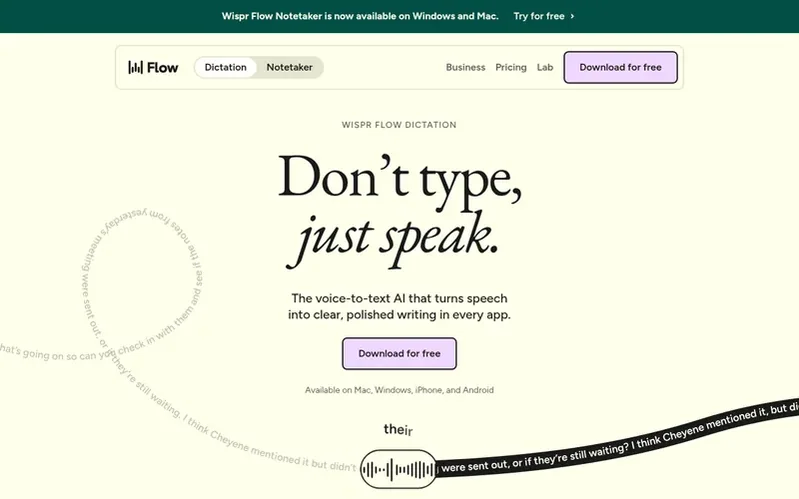
Wispr Flow is a voice-to-text AI platform that converts speech into clear, polished writing in any application on Mac, Windows, iPhone, and Android. The product includes two main features: Flow dictation for seamless voice typing everywhere users type, and Notetaker for recording meetings and generating transcripts with speaker identification and summaries.
Flow automatically edits speech as you speak, removing filler words, adding punctuation, and formatting text to read naturally. It supports 100+ languages, learns user vocabulary and names, and works in any app without requiring plugins or integrations.
The company also offers Wispr Flow Notetaker, an AI meeting assistant that works on Mac and Windows for Zoom, Google Meet, Microsoft Teams, Slack huddles, and in-person meetings. Both dictation and Notetaker are available on free and paid plans.
Under the hood
- Voice-to-text in any app with no plugins required
- Supports 100+ languages with automatic detection
- Learns and remembers user vocabulary and custom names
- Text snippets for frequently used phrases and templates
- Customizable writing style for different applications
- AI Notetaker for meetings with speaker identification
- Works in all major meeting platforms including Zoom, Google Meet, Teams, Slack
- Question answering across meeting notes
- Integration with AI tools via Model Context Protocol
Pricing
Free plan includes 2,000 words per week of dictation, 100+ language support, Notetaker with limited access, and works on Mac, Windows, iOS, and Android. Pro plan at $12-15/user/month offers unlimited dictation, longer Notetaker history, shared team features, and priority support. Growth plan at $18-
Quick answers
Will Flow work in my messages, notes, email, or AI tools?
Yes. Flow types wherever your cursor is, so it works in every app on your computer with no setup or integrations including Gmail, Slack, iMessage, Notion, code editors, and AI tools like ChatGPT, Claude, and Cursor.
How is Flow different from Siri or Google voice typing?
Flow uses advanced voice technology to turn what you say into what you meant to write, whereas built-in dictation transcribes word-for-word including every filler word. Flow catches corrections, formats as you speak, gets uncommon names right, and works everywhere on Mac, Windows, iPhone, and Android with consistent accuracy.
Does Flow work in other languages?
Yes, Flow supports 100+ languages. For best accuracy, select the specific language you're speaking rather than relying on auto-detect. If you switch between languages, the language picker lives in the Flow bar for easy one-click changes.
Wispr Flow has a free listing. The owner can unlock the full profile with a paid launch for $5:
- Founder story (locked)
- Milestones (locked)
- Demo video (locked)
- Dofollow website link: not on this free listing (its website link is nofollow)
Also racing
 Superwhisper
Audio, Voice & Podcasting
- Riverside
Audio, Voice & Podcasting
- Descript
Audio, Voice & Podcasting
- Suno
Audio, Voice & Podcasting